
AI Trading with Alpaca: How to Connect Your Account
Portfolio Genius Team
AI Portfolio Management Experts · Quantitative finance and portfolio optimization
Want to take your AI-managed portfolio to the next level? By connecting your Alpaca brokerage account, you can sync your positions automatically, execute trades directly from Portfolio Genius, and even enable fully automated bot trading. This guide walks you through the entire setup process—from creating your Alpaca account to executing your first AI-suggested trade. Alpaca is just one of many platforms we support—see our full list of supported broker integrations.
Who This Guide Is For
This guide shows you how to connect an existing Alpaca brokerage account to Portfolio Genius for AI-powered trading. If you're looking to open an Alpaca account, do that first at alpaca.markets (Step 1 below walks you through it). If you want to build your own software against the Alpaca API, see Alpaca's API documentation instead — no coding is needed for anything on this page.
What Can AI Trading on Alpaca Do?
Once your Alpaca account is connected, Portfolio Genius gives you three levels of AI trading autonomy — the same ladder described in the agentic trading overview:
AI Trade Suggestions
The AI advisor analyzes your synced Alpaca positions and recommends specific trades with reasoning. You review every suggestion and stay in full control.
One-Click Execution
Accept a suggestion and the trade executes on your Alpaca account directly from Portfolio Genius — no copying orders into another app.
Fully Automated Agentic Trading
Enable bot mode and the AI agent trades your Alpaca account end to end — on a paper account for zero-risk testing, or live once you trust it. Details in Understanding Bot Trading below.
What is Alpaca?
Alpaca is a commission-free stock trading platform designed specifically for developers and algorithmic traders. Unlike traditional brokerages, Alpaca provides a robust API that allows applications like Portfolio Genius to:
- Sync your positions and account balances automatically
- Execute buy and sell orders programmatically
- Support both paper trading (practice) and live trading
- Provide real-time market data
This makes Alpaca the perfect partner for AI-powered portfolio management. You get the intelligence of our AI advisor combined with direct execution capabilities.
Paper Trading vs. Live Trading
Alpaca offers two environments, and Portfolio Genius supports both:
Paper Trading
Practice trading with virtual money. Perfect for testing strategies, learning how the system works, or experimenting with bot trading without any financial risk. Your paper account starts with $100,000 in simulated funds.
Live Trading
Trade with real money in your funded Alpaca account. All trades are executed on the actual stock market. Use this once you're comfortable with the platform and ready to invest real capital.
We recommend starting with paper trading to familiarize yourself with the integration before moving to live trading. You can connect both paper and live accounts to Portfolio Genius simultaneously and use them with different portfolios.
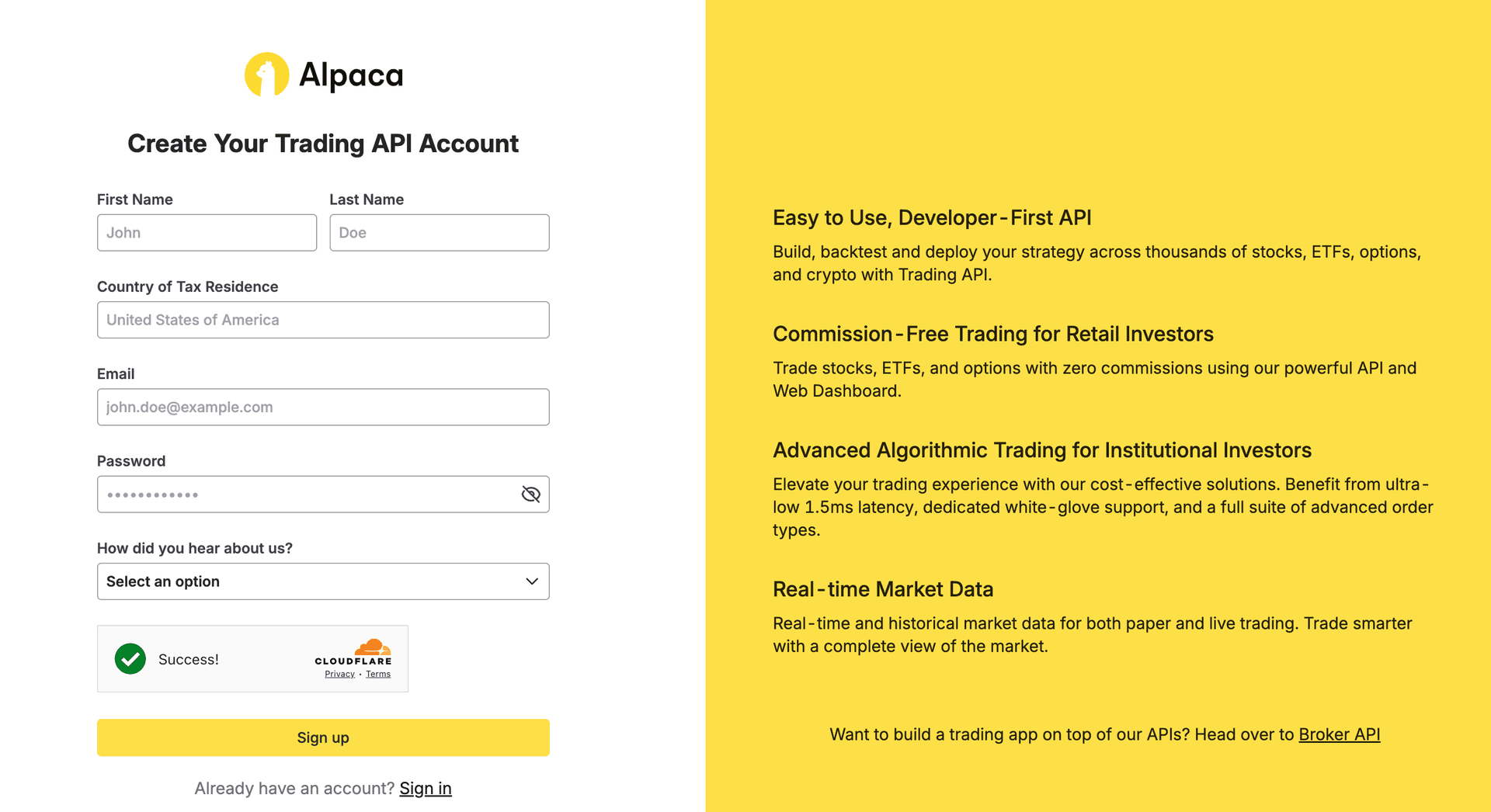
Step 1: Create Your Alpaca Account
Visit alpaca.markets and click "Sign Up" to create your free account. You'll need to provide:
- Email address
- Password
- For live trading: personal information for regulatory compliance
Paper trading accounts are available immediately after signup. Live trading accounts require identity verification, which typically takes 1-3 business days.
Step 2: Generate Your API Keys
API keys are how Portfolio Genius securely connects to your Alpaca account. You'll need to generate keys for each environment you want to use (paper and/or live).
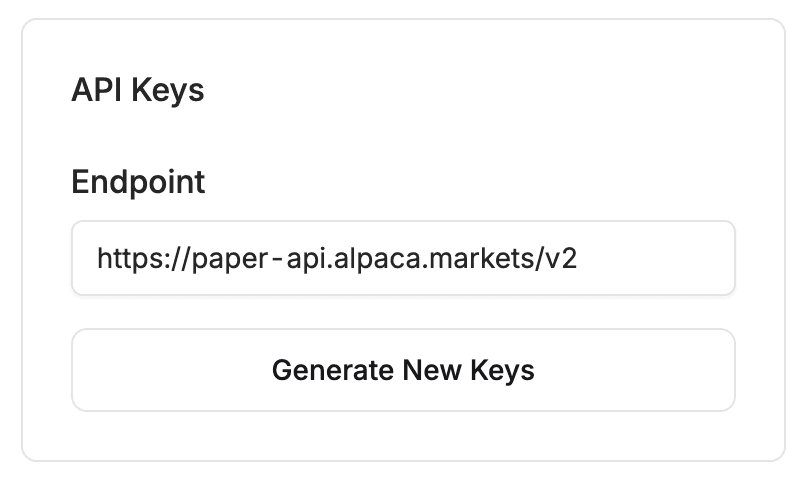
For Paper Trading:
- Log in to your Alpaca account at app.alpaca.markets
- Click "Paper Trading" in the left sidebar to switch to paper mode
- Navigate to "API Keys" in the sidebar
- Click "Generate New Key"
- Copy both the API Key ID and Secret Key immediately—the secret is only shown once!
For Live Trading:
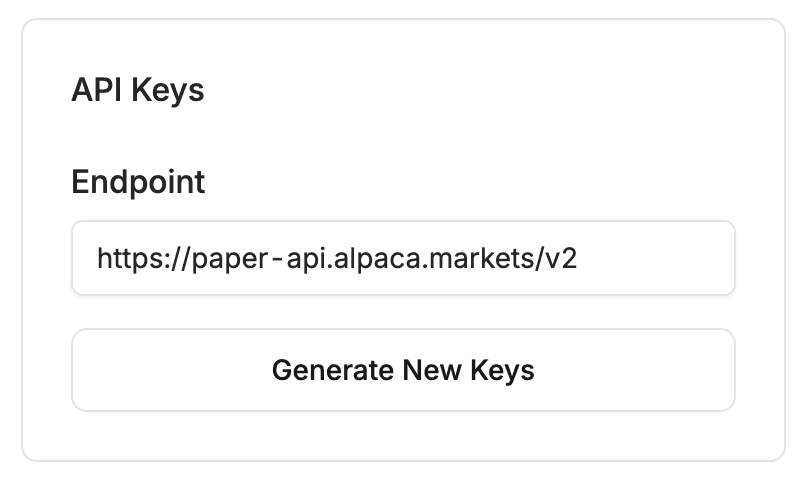
- Switch to "Live Trading" in the left sidebar
- Your account must be approved and funded first
- Navigate to "API Keys"
- Click "Generate New Key"
- Save both keys securely
Important: Save Your Secret Key!
Alpaca only shows your Secret Key once when it's generated. If you lose it, you'll need to delete the key and generate a new one. Store both keys in a secure location before continuing.
Step 3: Add Alpaca to Portfolio Genius
Now that you have your API keys, let's connect them to Portfolio Genius.
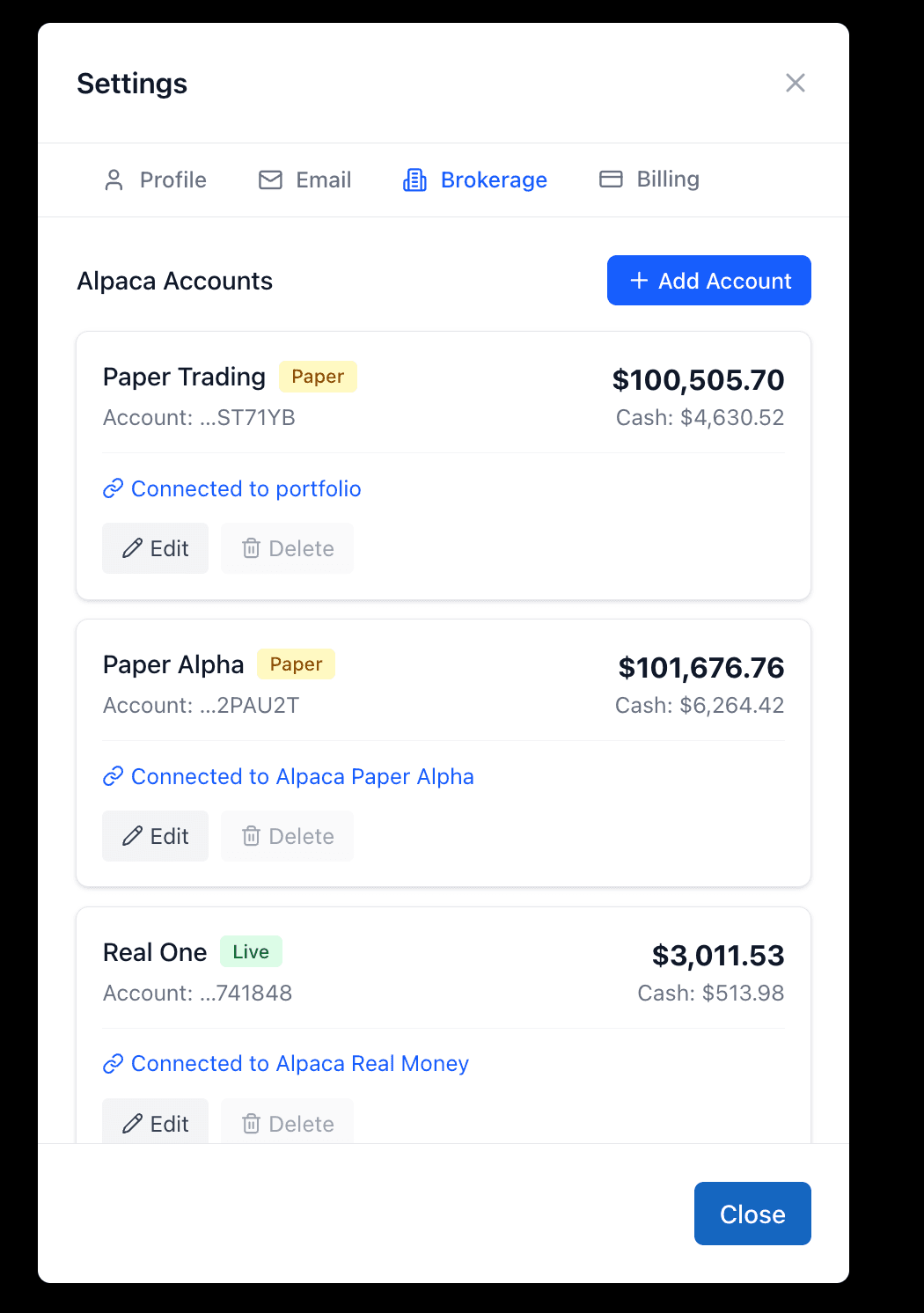
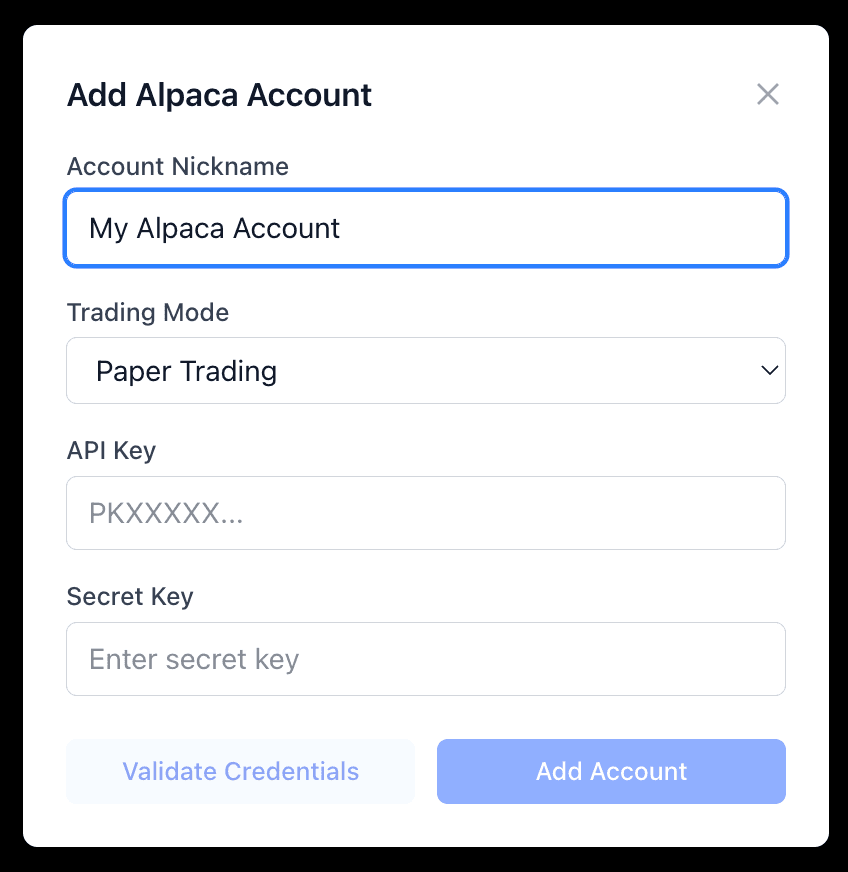
Connect Your Broker
- Log in to Portfolio Genius
- Click on your profile icon in the top right corner
- Select "Settings" from the dropdown menu
- Navigate to the "Brokers" tab
- Click "Add Broker"
- Select "Alpaca" as your broker
- Enter a name for this connection (e.g., "My Paper Account" or "Live Trading")
- Paste your API Key ID and Secret Key
- Select whether this is a Paper or Live account
- Click "Save"
Your Credentials Are Secure
Portfolio Genius encrypts your API credentials using industry-standard encryption before storing them. Your keys are never exposed in logs, transmitted in plain text, or accessible to our team. We take security seriously—your brokerage access is protected.
Step 4: Create a Portfolio with Alpaca
With your broker connected, you can now create portfolios that sync with your Alpaca account.
Create an Alpaca-Connected Portfolio
- From your dashboard, click "Create Portfolio"
- Give your portfolio a name (e.g., "AI Paper Trading")
- Under "Broker Connection", select your Alpaca account from the dropdown
- Configure your AI advisor settings (model, risk tolerance, etc.)
- Click "Create"
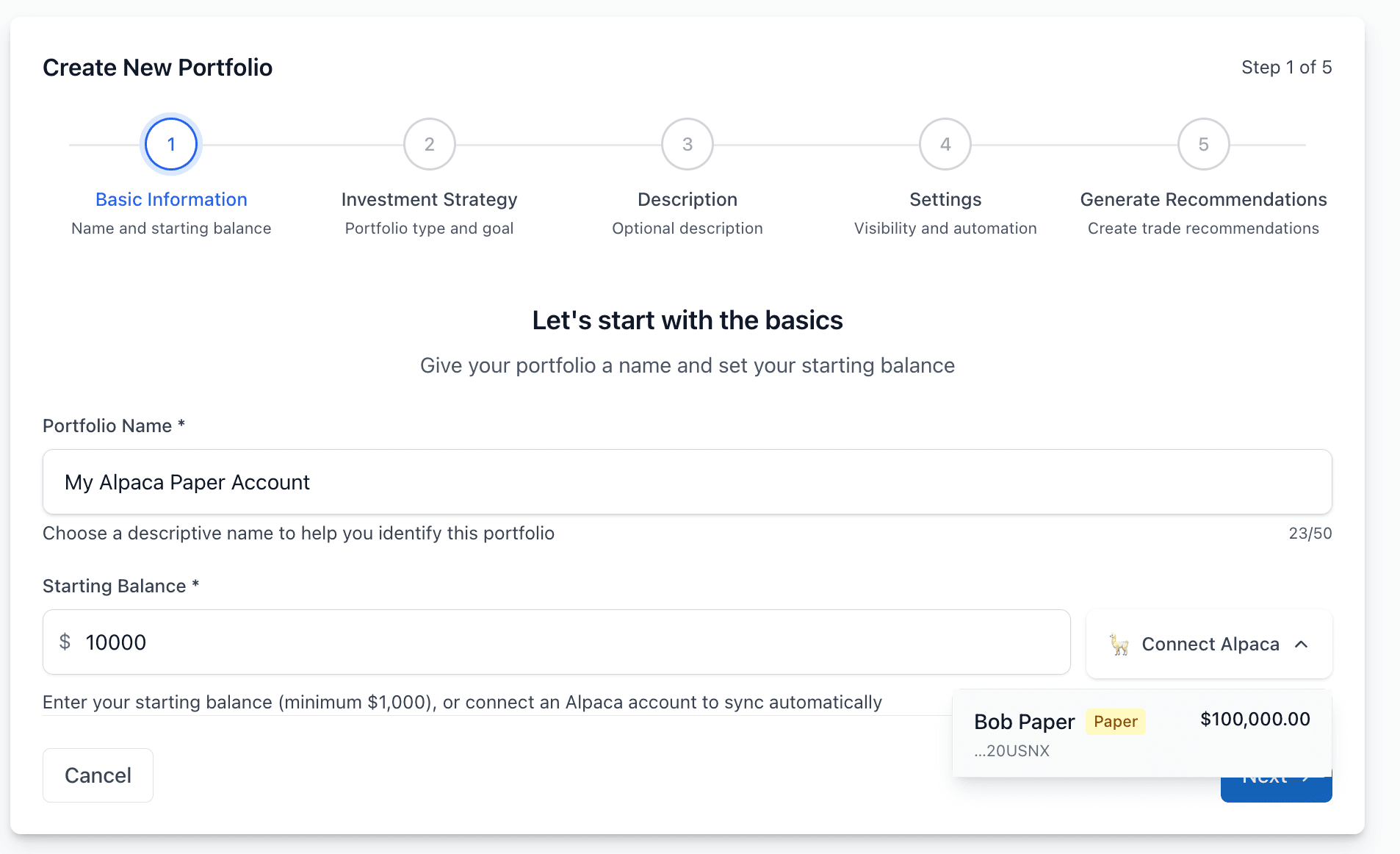
Once created, your portfolio will automatically sync with your Alpaca account. Any existing positions in Alpaca will appear in your Portfolio Genius dashboard, and any trades executed through Portfolio Genius will be reflected in Alpaca.
Step 5: Execute Trades
With your Alpaca-connected portfolio, you have two ways to execute trades:
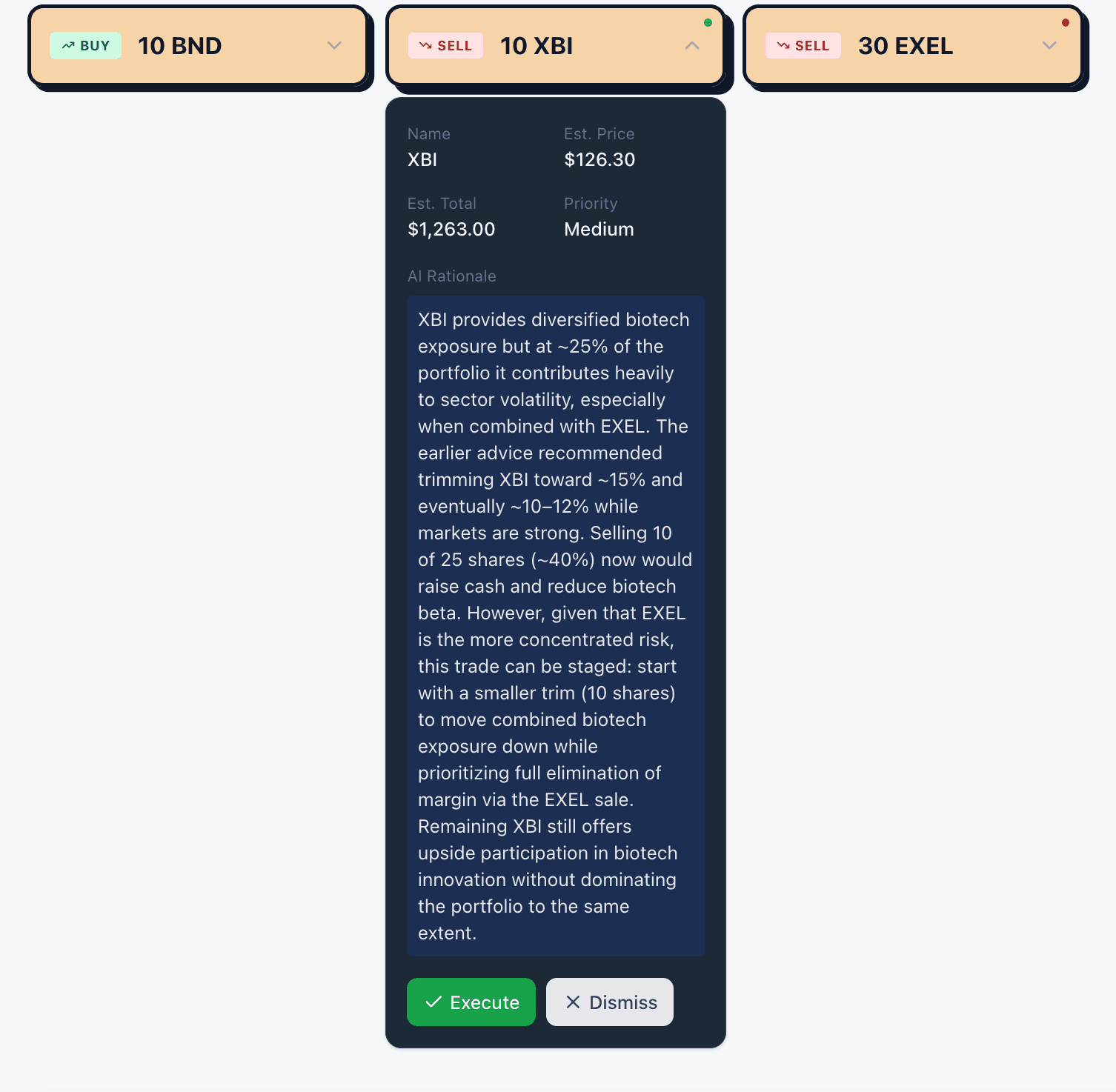
Manual Execution
When your AI advisor suggests a trade, you'll see an "Execute" button next to the suggestion. Click it to send the order to Alpaca. You're always in control—review each trade before executing.
Bot Trading (Automated)
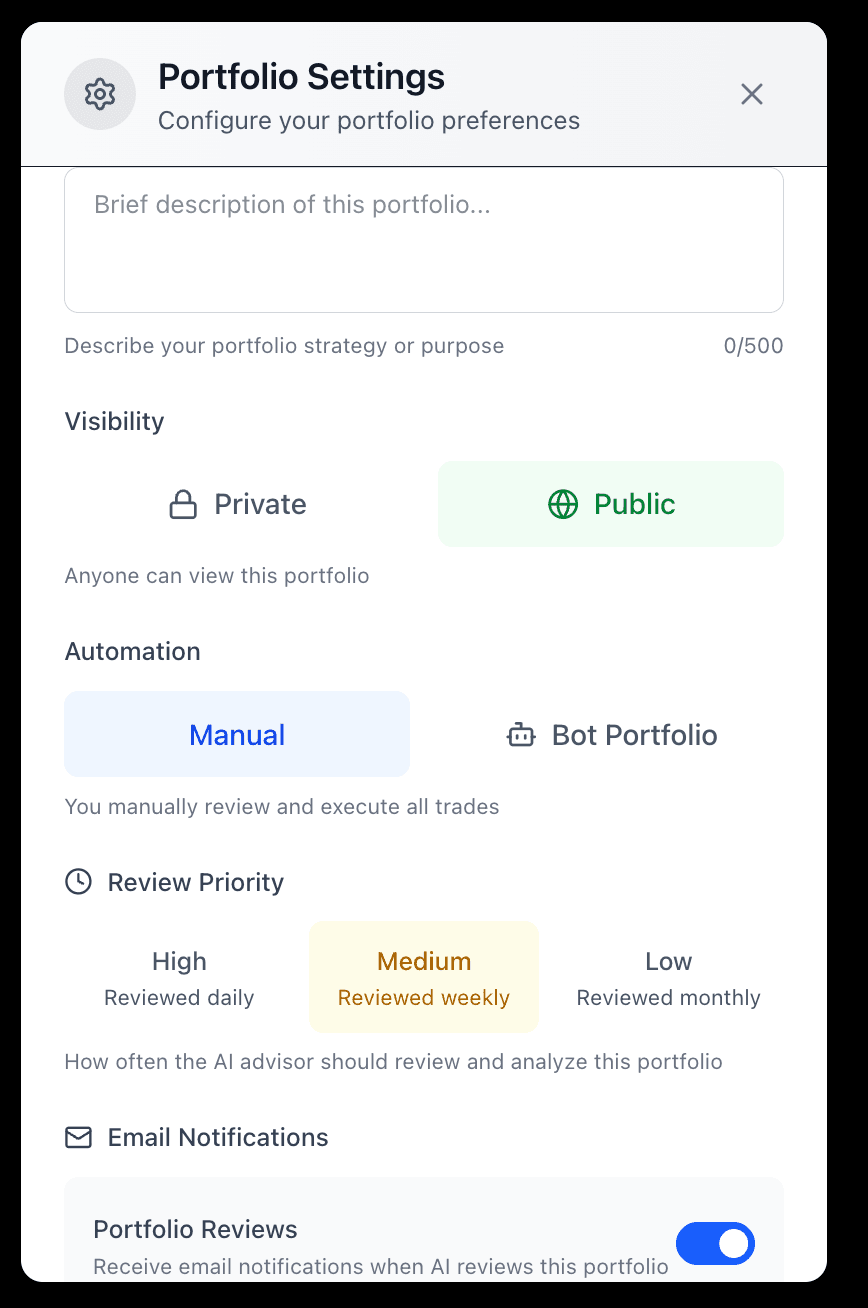
Enable "Bot Mode" in your portfolio settings to let the AI execute trades automatically. The bot will act on AI suggestions without requiring your approval for each trade.
Understanding Bot Trading
Bot trading is one of the most powerful features of Portfolio Genius when combined with Alpaca. Here's how it works:
How Bot Mode Works
- Your AI advisor analyzes your portfolio daily (or more frequently)
- When the AI identifies a trading opportunity, it generates a suggestion
- In bot mode, the system automatically executes the suggested trade
- You receive a notification about the executed trade
- Your portfolio updates in real-time
Important: Bot Trading with Live Accounts
When bot mode is enabled on a portfolio connected to a live Alpaca account, the bot will execute trades with your real money. Make sure you understand and are comfortable with this before enabling bot mode on live accounts.
We strongly recommend:
- Starting with paper trading to understand how the bot behaves
- Reviewing the AI's trading history and accuracy
- Setting appropriate risk parameters before enabling bot mode
- Monitoring your portfolio regularly even with automation enabled
Connecting Multiple Accounts
You can connect both your paper and live Alpaca accounts to Portfolio Genius simultaneously. If you also hold investments at Fidelity, Schwab, or other brokerages, you can track investments across multiple brokers alongside your Alpaca account. Here are some ways multiple accounts are useful:
- Testing strategies—run the same AI configuration on paper to see how it performs before applying to live
- Different strategies—use aggressive settings on paper while being conservative with real money
- Learning—practice manual trading on paper while your live account runs on bot mode
To add multiple accounts, simply repeat Step 3 for each set of API keys. Each broker connection can be used with one portfolio at a time. For details on merging data from various brokerages into one dashboard, read our multi-broker portfolio consolidation guide.
What Are the Tips for Success?
Start with paper trading
Even experienced traders should test the integration with paper money first. This helps you understand how the AI makes decisions and how quickly trades are executed.
Review AI suggestions before enabling bot mode
Spend at least a few weeks manually reviewing AI trade suggestions before turning on automated execution. Make sure you understand and agree with the AI's reasoning.
Set appropriate risk levels
Configure your risk tolerance honestly. The AI uses this to calibrate how aggressive or conservative its suggestions are.
Monitor your portfolio regularly
Even with bot mode, check in on your portfolio at least weekly. Review executed trades, performance, and the AI's current outlook.
Keep your API keys secure
Never share your Alpaca API keys. If you suspect they've been compromised, immediately delete them in Alpaca and generate new ones.
Troubleshooting
"Invalid API credentials" error
Double-check that you've copied both the API Key ID and Secret Key correctly, with no extra spaces. Also verify you're using paper keys for paper trading and live keys for live trading—they're not interchangeable.
Positions not syncing
Positions sync automatically every few minutes. If you've just made a trade in Alpaca directly, give it a moment to appear. You can also manually refresh by clicking the sync button in your portfolio.
Trade execution failed
Common causes include insufficient buying power, market being closed, or the stock being halted. Check the error message for details and verify your account status in Alpaca.
Can't find live trading option
Live trading requires an approved and funded Alpaca account. Complete the identity verification process and fund your account before generating live API keys.
You're Ready to Trade
Congratulations! You've connected your Alpaca account and are ready to experience the full power of AI-managed investing. Whether you're practicing with paper money or trading live, you now have an intelligent assistant helping you make better investment decisions. If you also hold positions at a traditional brokerage, check out our guides for Fidelity, Schwab, and Vanguard to bring all your investments into Portfolio Genius.
Remember to start conservatively, monitor your results, and gradually increase automation as you become comfortable with how the system works. Happy trading!
Frequently Asked Questions
What is Alpaca and how is it different from traditional brokers?
Alpaca is a developer-first brokerage that provides API access for stock, options, and crypto trading. Unlike traditional brokers that focus on web and mobile interfaces, Alpaca is built around its Trading API, making it ideal for algorithmic traders, fintech developers, and investors who want to programmatically manage their portfolios.
Is Alpaca's paper trading the same as live trading?
Alpaca's paper trading uses the same API spec as live trading, but with a different base URL and API keys. It provides a real-time simulation environment with actual market data, though it does not simulate dividends, slippage, or real liquidity constraints.
How do I get my Alpaca API keys?
After signing up for an Alpaca account at alpaca.markets, you will receive an API key and API secret from your dashboard. Paper trading keys are generated separately from live trading keys. Store these credentials securely, as they provide programmatic access to your account.
Can I use Alpaca to automatically track my portfolio?
Yes. Because Alpaca provides a full Trading API, tools can connect directly to your account and pull real-time position data, trade history, and account balances without manual CSV exports. Portfolio Genius supports direct Alpaca API integration, so your portfolio stays automatically synced with AI-powered analysis.
Is Alpaca free to use?
Alpaca offers commission-free trading for stocks and ETFs, and its paper trading environment is completely free for all users. There are no account minimums for paper trading, though live trading may have different requirements. The API has a rate limit of 200 requests per minute, which is sufficient for most individual use cases.
Ready to connect your Alpaca account?
Get started with AI-powered trading today. Paper trading is free and requires no financial commitment.
Related Features
Keep Reading
How to Auto-Sync Your Brokerage Account with Portfolio Genius
Step-by-step guide to connecting your brokerage account via Plaid. Learn how to set up auto-sync, what data gets imported, and how to manage your conn...
Read articleHow to Export Your Portfolio from Any Brokerage (2026 Guide)
Step-by-step instructions for exporting your portfolio data from Fidelity, Schwab, Vanguard, Robinhood, E*TRADE, and Interactive Brokers. Learn about ...
Read articleBroker Integration Guides: Track Your Portfolio from Any Brokerage
Complete guides for exporting your portfolio data from major brokerages. Learn how to track investments from Fidelity, Schwab, Robinhood, Vanguard, E*...
Read article
Related Articles
How to Set Up Your First AI-Managed Portfolio
Step-by-step guide to creating your first portfolio and configuring your AI advisor.
How AI Portfolio Management Works: A Complete Guide
Understand the technology behind AI portfolio management and how it generates personalized insights.
6 Months of AI Portfolio Tracking: Real Results From a $50K Investment
Real results and lessons learned from 6 months of AI-managed investing with real money.